Deploy UIS-Sec in UIS standard edition
UIS-Sec basic service deployment workflow
After deploying UIS-Sec components, you can use the advanced network management features in the UIS standard edition. The deployment wizard can guide you through the UIS-Sec initialization and utilization. Figure-1 shows the basic service deployment workflow, and Table-1 describes the deployment steps.
Figure-1 UIS-Sec basic service deployment workflow

Table-1 UIS-Sec basic service deployment workflow
|
Procedure |
Description |
|
Upload the UIS_Sec_Mgr component to the component repository. The UIS-Sec management component VM provides the basic environment for the deployment of the UIS-Sec portal of UIS Manager Standard Edition. |
|
|
Deploy the UIS-Sec management component VM. |
|
|
Log in to and initialize the management node to provide the fundamental platform for UIS-Sec gateway component VMs. |
|
|
Upload the UIS_net_gw component to the component repository. The UIS-Sec gateway component VMs provide the UIS-Sec basic service deployment environment. |
|
|
Create vSwitch vs_gateway on the network management page of the UIS standard edition. This task is a prerequisite for the deployment of UIS-Sec gateway component VMs. |
|
|
Deploy UIS-Sec gateway component VMs. |
|
|
Log in to the UIS-Sec portal of UIS Manager Standard Edition to configure the UIS standard edition as a management node and configure network egresses and resource quotas. |
|
|
Change the network mode to advanced network mode in the UIS standard edition to use UIS-Sec services. |
|
|
Log in to the UIS-Sec portal of UIS Manager Standard Edition to manage UIS-Sec security service licenses. |
|
|
If the password for the system administrator of the UIS standard edition is changed, you must change the password accordingly on the advanced features page. |
UIS-Sec value-added NFV service deployment workflow
After deploying UIS-Sec basic services, you can deploy UIS-Sec value-added NFV services. Figure-2 shows the value-added NFV service deployment workflow, and Table-2 describes the deployment steps.
Figure-2 UIS-Sec value-added service deployment workflow
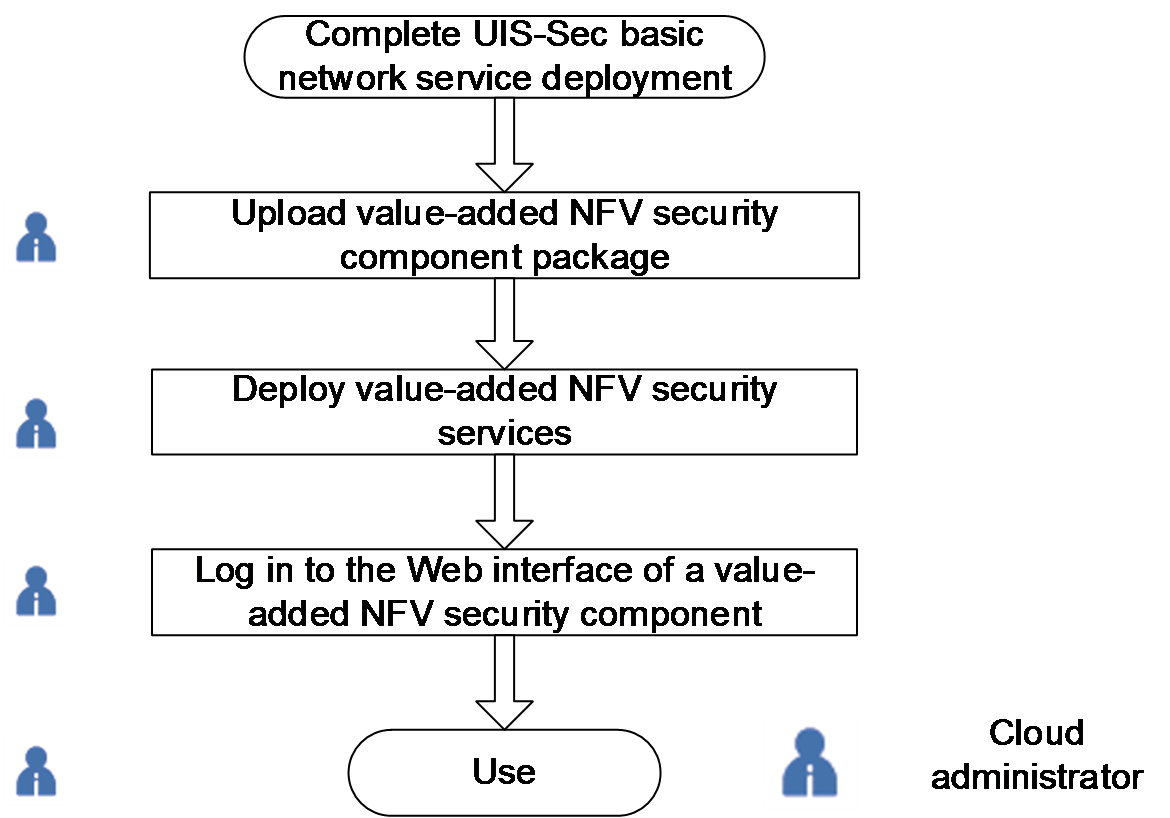
Table-2 UIS-Sec value-added service deployment workflow
|
Procedure |
Workflow |
|
Upload the nfv-vfw, nfv-vacg, nfv-vlb, nfv-dba, and nfv-vwaf components to the component repository as needed. |
|
|
Deploy value-added NFV security services on the virtual data center topology page of the UIS-Sec portal of UIS Manager Standard Edition. |
|
|
Log in to the Web interface of a NFV value-added security component |
Log in to the deployed component to configure rules and policies. |