Virtualization platform connection workflow

Figure-1 and Table-1 describe the virtualization platform connection workflow.

Figure-1 Virtualization platform connection workflow
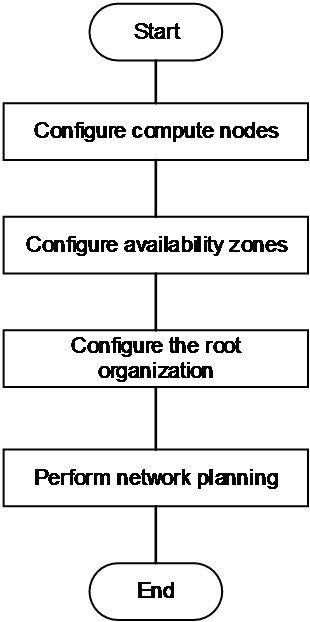
 

Table-1 Virtualization platform connection workflow

Procedure

Remarks

Add a compute node

Connect the system to virtualization environments that provide compute and storage resources, for example, CAS and VMware, and add network egresses.

Configure AZs

Configure compute and storage AZs for resource isolation.

You can assign AZs to cloud resources only after adding the AZs to the root organization.

Configure the root organization

Add the created compute and storage AZs to the root organization.

Plan networks

Specify a network model for network isolation.

  • VLAN without SDN controller—Implements simple network isolation functions. It supports only the network, security group, and QoS features in the network and security service.

  • VLAN VPC/Flat VXLAN VPC—Implements abundant network isolation functions through an SDN controller. Only compute nodes with the same network egress can communicate. It supports all network and security services provided by the system.

  • Hierarchical VXLAN VPC—Compute nodes with a single network egress can communicate. Compute nodes with multiple network egresses can communicate as long as you add these network egresses to the same egress group.