(Optional) Configure interrupt affinity
Interrupt affinity enables you to assign the interrupts that support affinity settings to the specified CPUs for processing. As a best practice, do not assign the interrupts to isolated CPUs to ensure that the interrupts do not affect the tasks on the isolated CPUs.
Procedure
On the top navigation bar, click Cloud Resources.
You are placed on the Sites > Native Sites page.
Click the
 icon for the target native site to access the Web interface of the standard-edition UIS.
On the top navigation bar, click Hosts.
From the left navigation pane, select the target host.
Click the Advanced tab.
Click Interrupt Affinity.
Figure-1 Configuring interrupt affinity
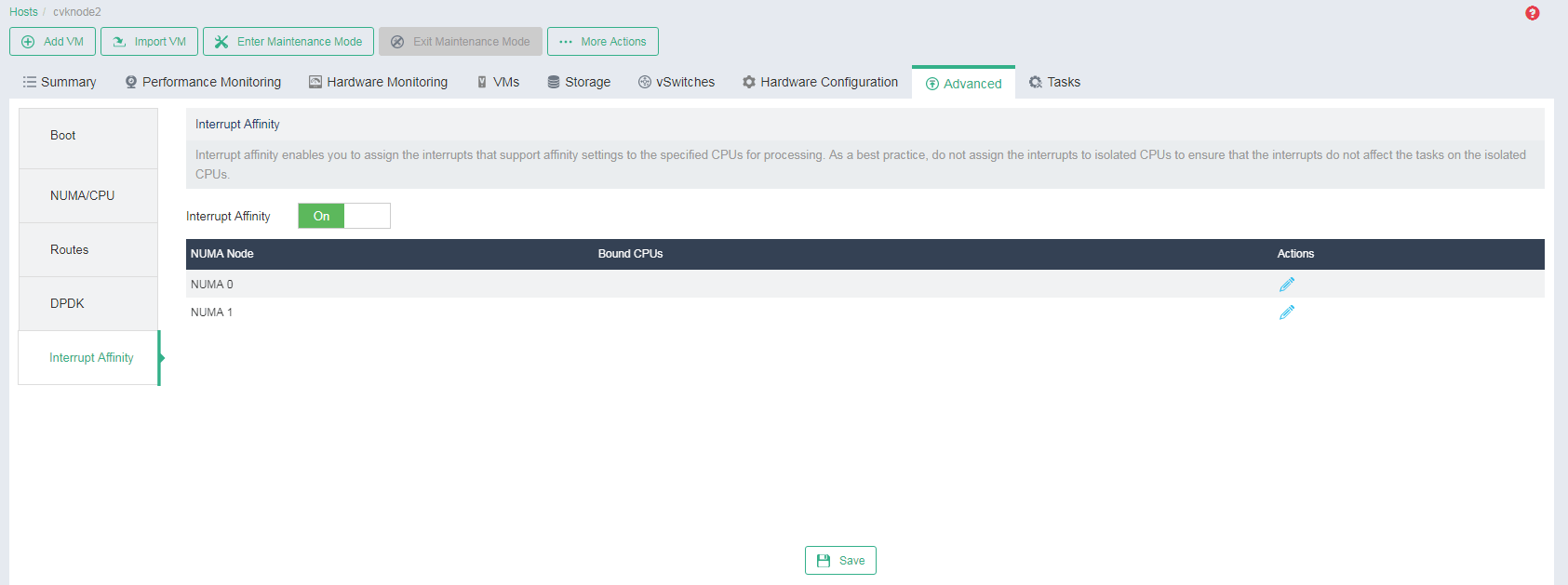
Enable interrupt affinity.
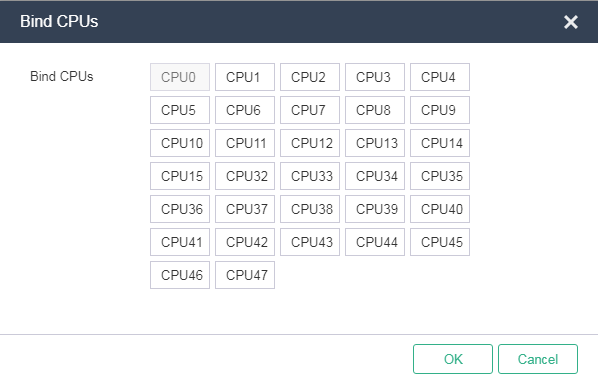
Click the Edit icon
 for each NUMA node, select the isolated CPUs specified in "Configure host boot options" as the CPUs to bind, and then click OK.
Figure-2 Binding CPUs for interrupt affinity
Click Save.