Configure sites
|
You can add sites on either the primary or backup CVM system. |

To configure sites:
On the top navigation bar, click Services.
From the left navigation pane, select Disaster Recovery Management > Sites.
Click Add.
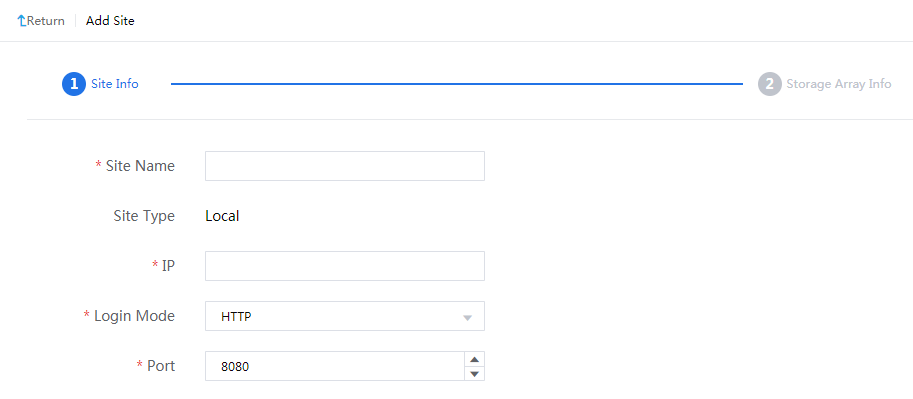
Configure a local site.
Enter the IP address of the local CVM system. By default, a site added first is a local site (protected site). The sites added subsequently are all remote sites.
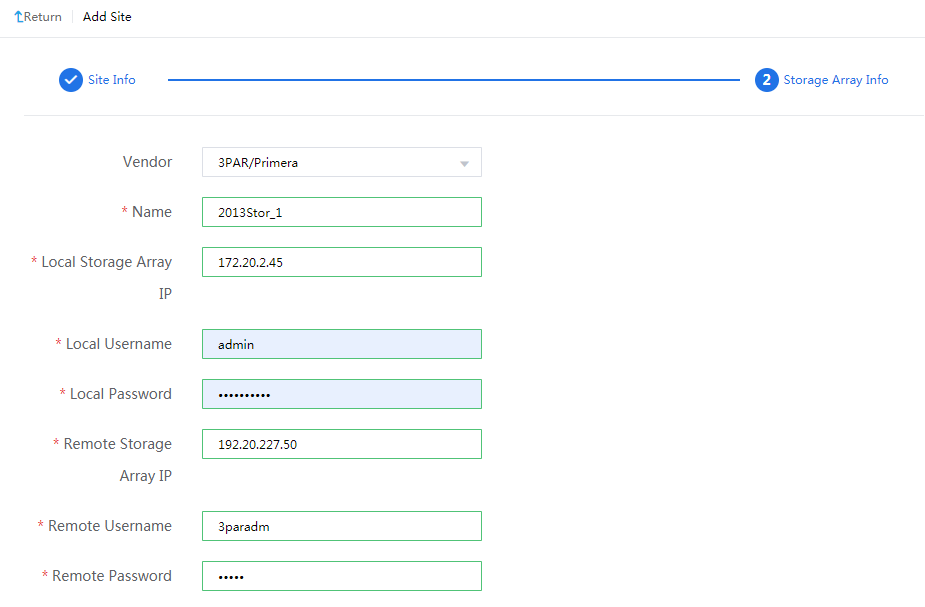
Configure a storage array manager, and then click OK.
Figure-1 Configuring a storage array manager
Click the local site name to view its information and storage array manager list.
Click More for the storage array manager and then select Connectivity Test to verify connectivity to the storage resources managed by it.
Add a remote site in the same way the local site is added.
Figure-2 Adding a remote site

On the Storage Array Managers page for the local and remote sites, click Synchronize Storage Replication Info.
Figure-3 Synchronizing replication relationships

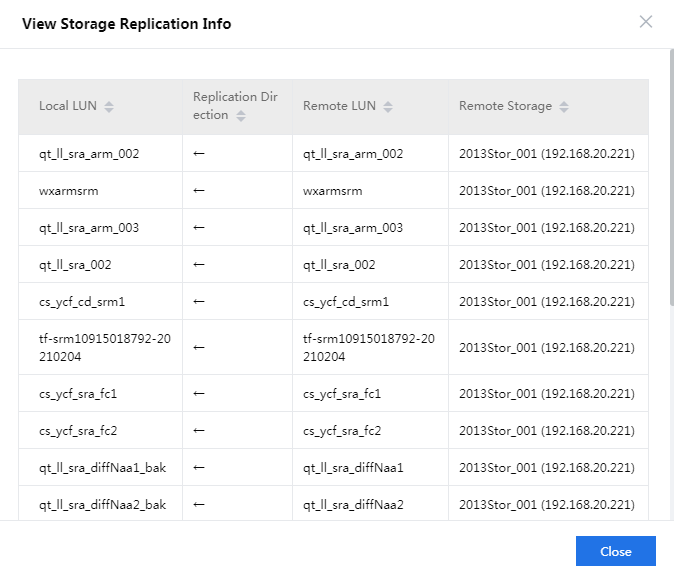
Click More for the storage array manager and then select View Storage Replication Info for the storage array manager to verify replication relationships.
Figure-4 Verifying replication relationships