Configuring security policies
On the top navigation bar, click
Policy . From the left navigation pane, selectSecurity Policies . SelectCreate >Create a policy to create a security policy namedlan-wan with the following configuration:Specify
lan-wan as the security policy name.Select source security zone
lan and destination security zonewan .Select the
Permit action.Use the default configuration for other parameters, and then click
Apply .
Figure-1 Creating a security policy named lan-wan

Create a security policy named
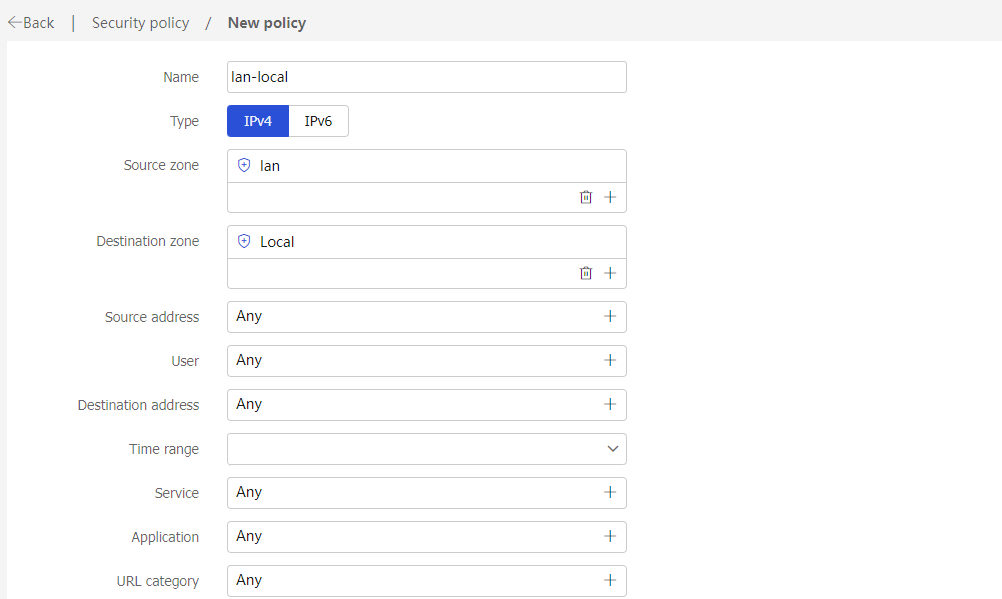
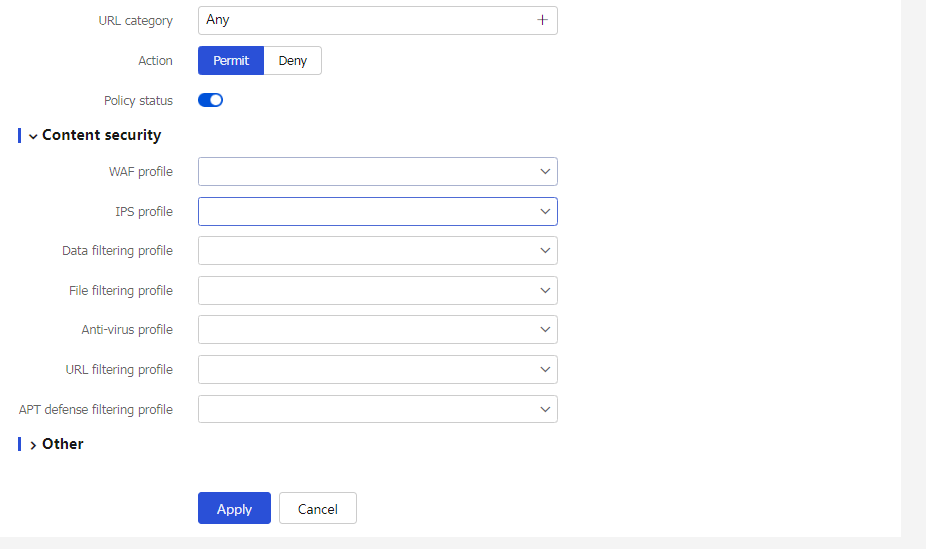
lan-local as follows:Specify
lan-local as the security policy name.Select source security zone
lan and destination security zoneLocal .Select the
Permit action.Use the default configuration for other parameters and then click
Apply .
Figure-2 Creating a security policy named lan-local
Create a security policy named
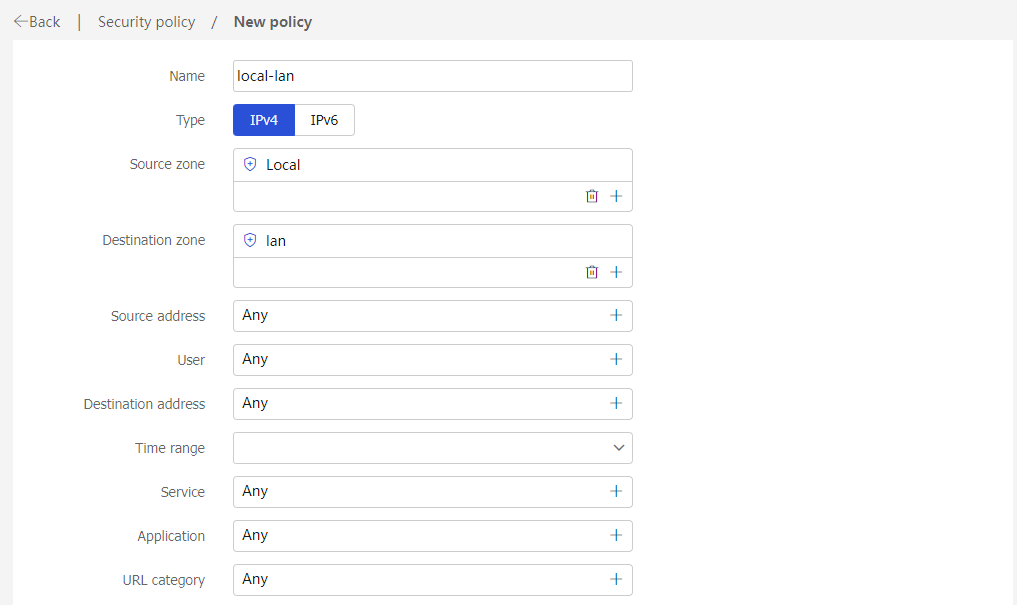
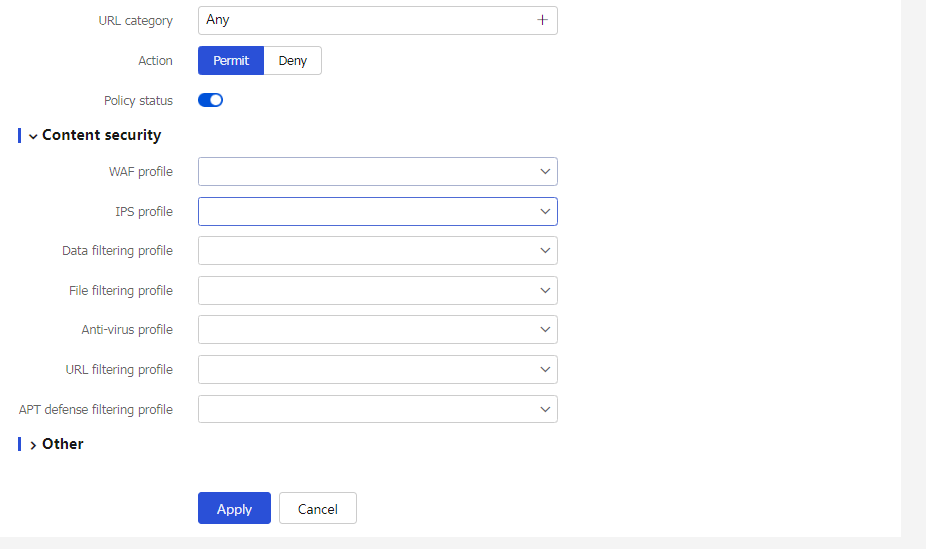
local -lan as follows:Specify
local-lan as the security policy name.Select source security zone
Local and destination security zonelan .Select the
Permit action.Use the default configuration for other parameters and then click
Apply .
Figure-3 Creating a security policy named local-lan