Creating VLANs
Create service VLAN 20 according to the plan.
Navigate to the
Network >Links >VLAN page.Click the
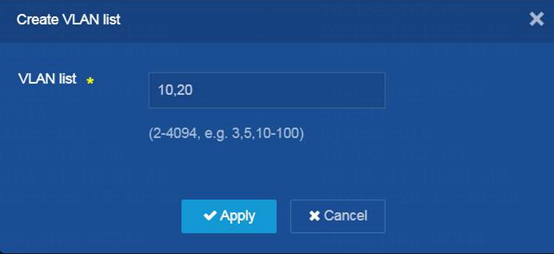
Create VLAN icon. TheCreate VLAN list dialog box opens.Create VLAN 10 (management VLAN) and VLAN 20 (service VLAN)
Click
OK .
Figure-1 Creating the management VLAN 10 and service VLAN 20