Reboot
This help contains the following topics:
Introduction
The reboot feature enables you to remotely reboot the device.
vSystem support information
Support of non-default vSystems for this feature depends on the device model. This feature is available on the Web interface only if it is supported.
Restrictions and guidelines
For data security, the device does not reboot while it is performing file operations.
Rebooting the device might cause service interruption. Before performing this task, make sure you understand its impact on the live network.
Configure device reboot
Reboot the device
Restarting a device by power cycling it has significant risks, as forced power interruption during operation might lead to data loss. The dedicated reboot function allows remote system restarts without requiring physical access to the device location.
Click the
System tab.In the navigation pane, select
Maintenance >Reboot .Click
Reboot the device .Figure-1 Reboot page
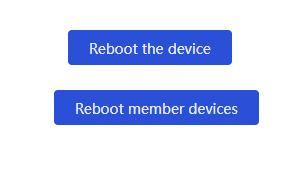
Select a configuration saving method before rebooting the device.
Figure-2 Selecting a configuration saving method
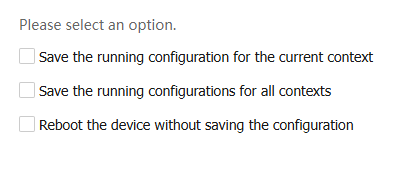
Table-1 Device reboot configuration items
Item
Description
Save the running configuration for the current context
Save the configuration in the current context on the device to the file system of the device.
Save the running configurations for all contexts
Save the configurations in all contexts on the device to the file system of the device.
Reboot the device without saving the configuration
Do not save any configuration before rebooting the device.

The running configuration is saved in the cache of the device. If you reboot the device without saving the running configuration, user-configured settings during device operation will be lost after the reboot.
Click
OK .To reboot the specified member devices instead of all member devices, click
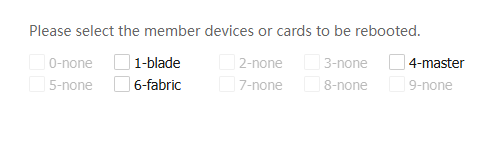
Reboot member devices .Select the member devices to be rebooted, and then click OK.
Figure-3 Rebooting member devices