RADIUS schemes
This helps describes the following topics:
Introduction
Remote Authentication Dial-In User Service (RADIUS) is a distributed information interaction protocol that uses a client/server model. The protocol can protect networks against unauthorized access and is often used in network environments that require both high security and remote user access. The RADIUS authorization process is combined with the RADIUS authentication process, and user authorization information is piggybacked in authentication responses. RADIUS uses UDP port 1812 for authentication and UDP port 1813 for accounting.
RADIUS was originally designed for dial-in user access, and has been extended to support additional access methods, such as Ethernet and ADSL.
Authentication/authorization server
A RADIUS authentication server completes authentication and authorization together, because authorization information is piggybacked in authentication responses sent to RADIUS clients. 通过You can specify one primary authentication server and a maximum of 16 secondary authentication servers for a RADIUS scheme. By default, secondary servers provide AAA services when the primary server becomes unreachable. The device selects a server from among all active secondary servers in the order in which they were configured.
If RADIUS server load sharing is enabled, the device distributes authentication requests proportionally across the active authentication servers in the scheme based on their weights and loads.
Accounting server
You can specify one primary accounting server and a maximum of 16 secondary accounting servers for a RADIUS scheme. By default, secondary servers provide AAA services when the primary server becomes unreachable. The device selects a server from among all active secondary servers in the order in which they were configured. If RADIUS server load sharing is enabled, the device distributes accounting requests proportionally across the active accounting servers in the scheme based on their weights and loads.
Configuration guide
Analysis
Configure RADIUS scheme basic settings as shown in the following figure:

Configure RADIUS scheme advanced settings as shown in the following figure:
Basic configuration
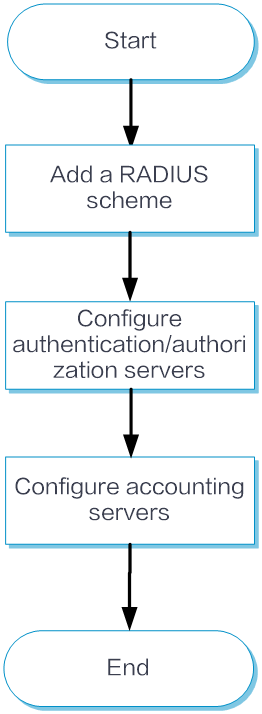
Add a RADIUS scheme
From the left navigation pane, select Configure > Authentication > AAA Settings > RADIUS Settings > RADIUS Schemes.
Click Add to add a RADIUS scheme.
In the Add RADIUS scheme window, specify the scheme, and configure the address, port number, and shared key of the primary authentication server and the primary accounting server.
Click Submit.
Configure authentication/authorization servers
From the left navigation pane, select Configure > Authentication > AAA Settings > RADIUS Settings > RADIUS Schemes > Basic Configuration.
In the authentication/authorization server area, configure the primary authentication server and add secondary authentication servers.
Configure accounting servers
From the left navigation pane, select Configure > Authentication > AAA Settings > RADIUS Settings > RADIUS Schemes > Basic Configuration.
In the Accounting Server area, configure the primary accounting server and secondary accounting servers.
Click Submit.
Advanced configuration
From the left navigation pane, select Configure > Authentication > AAA Settings > RADIUS Settings > RADIUS Schemes > Advanced Configuration.
Enable the Perform subsequent AAA operations for usernames issued by the RADIUS server option. This option takes effect on only wireless 802.1X users.
In the RADIUS Packet Sending Config area, configure the source IPv4 and IPv6 addresses in sent packets, the maximum packet transmission attempts, the maximum number of real-time accounting request attempts allowed, the format for usernames sent to the RADIUS server, the unit for data flows sent to the RADIUS server, and the unit for data packets sent to the RADIUS server.
In the RADIUS Server Interaction Timer Settings area, configure the server active state recovery timer, real-time accounting timer, and server response timeout timer.
Click Submit.