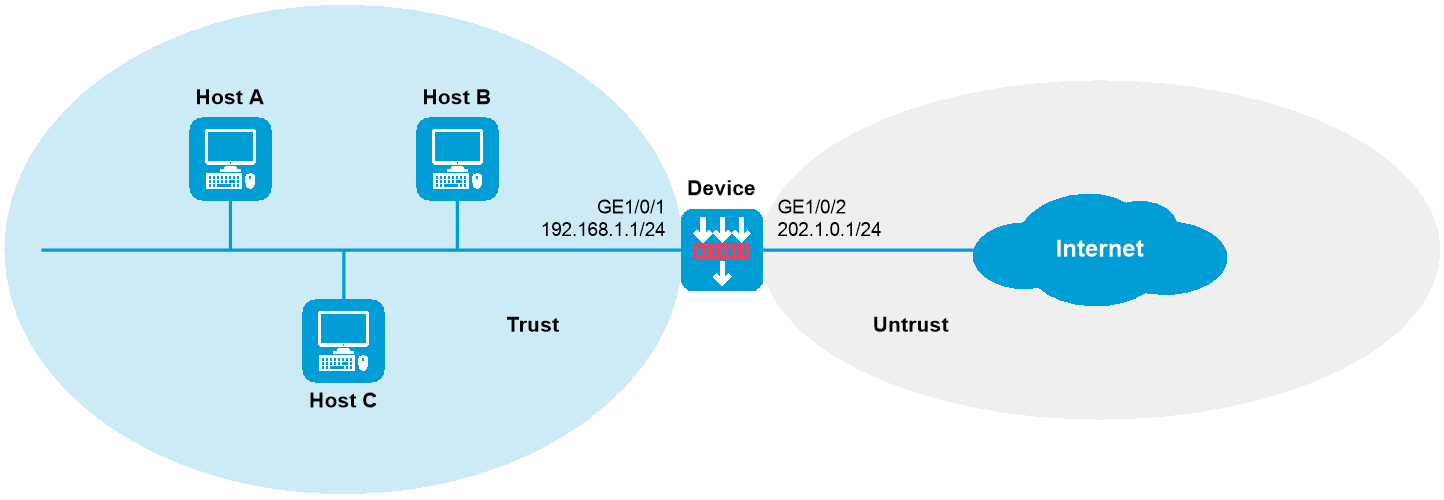
As shown in Figure 1, the device is deployed at the edge of the internal network in a company to detect and notify internal sensitive file leakage events. Configure the device to log the following security events:
Sensitive file abc.zip is leaked.
An internal user sends an email to sensitive email box [email protected] in the external network.
This configuration example was created and verified on E8371 of the F5000-AI160 device.
1. Assign IP addresses to interfaces:
# Assign an IP address to GigabitEthernet 1/0/1.
<Device> system-view
[Device] interface gigabitethernet 1/0/1
[Device-GigabitEthernet1/0/1] ip address 192.168.1.1 255.255.255.0
[Device-GigabitEthernet1/0/1] quit
# Assign IP addresses to other interfaces in the same way. (Details not shown.)
2. Add interfaces to security zones.
[Device] security-zone name trust
[Device-security-zone-Trust] import interface gigabitethernet 1/0/1
[Device-security-zone-Trust] quit
[Device] security-zone name untrust
[Device-security-zone-Untrust] import interface gigabitethernet 1/0/2
[Device-security-zone-Untrust] quit
3. Configure a security policy rule named trust-untrust to permit traffic from the hosts in security zone Trust to the Internet.
[Device] security-policy ip
[Device-security-policy-ip] rule name trust-untrust
[Device-security-policy-ip-1-trust-untrust] source-zone trust
[Device-security-policy-ip-1-trust-untrust] destination-zone untrust
[Device-security-policy-ip-1-trust-untrust] source-ip-subnet 192.168.1.0 24
[Device-security-policy-ip-1-trust-untrust] action pass
[Device-security-policy-ip-1-trust-untrust] quit
[Device-security-policy-ip] quit
4. Configure DPI:
# Enable the TCP segment reassembly feature.
[Device] inspect tcp-reassemble enable
# Disable stream fixed length inspection.
[Device] inspect stream-fixed-length disable
# Activate policy and rule settings for DPI service modules.
[Device] inspect activate
5. Configure DLP flow monitoring:
# Monitor traffic transferred from the internal network to the external network.
[Device] dlp flow-monitor file-transfer outgoing
# Configure IP address object group obj1 and specify internal IP addresses in the object group.
[Device] object-group ip address obj1
[Device-obj-grp-ip-obj1] network subnet 192.168.1.0 24
[Device-obj-grp-ip-obj1] quit
# Specify the IP address object group for DLP flow monitoring.
[Device] dlp flow-monitor local-address ip
[Device-dlp-flow-monitor-local-addr-ip] object-group obj1
[Device-dlp-flow-monitor-local-addr-ip] quit
# Enable DLP.
[Device] undo dlp bypass
6. Configure a DLP policy:
Log in to the Web interface of the device.
Select Policies > DLP > DLP Policies.
Click Create.
In the dialog box that opens, configure parameters for the DLP policy:
Enter a policy name.
Select a scan mode.
Select Start policy.
Figure 2 Creating a DLP policy
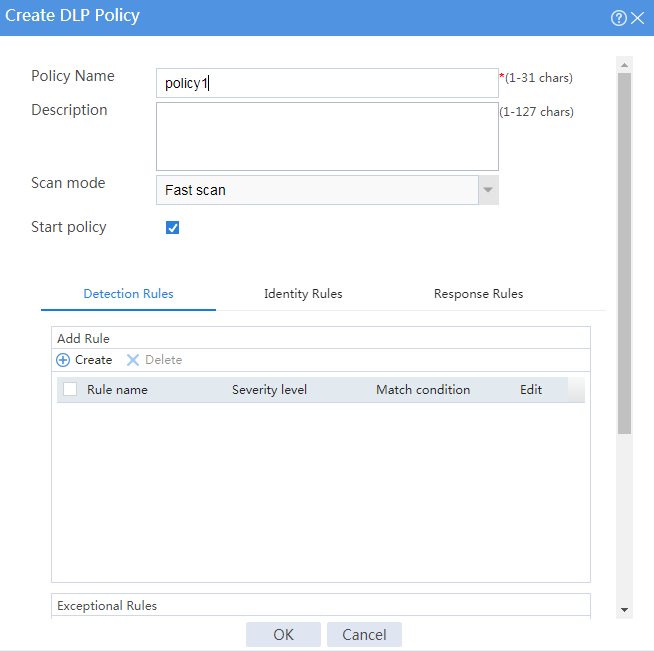
On the Detection Rules tab of the Create DLP Policy dialog box, click Create in the Add Rule area.
Configure parameters for the detection rule:
Enter a rule name.
Select a severity level.
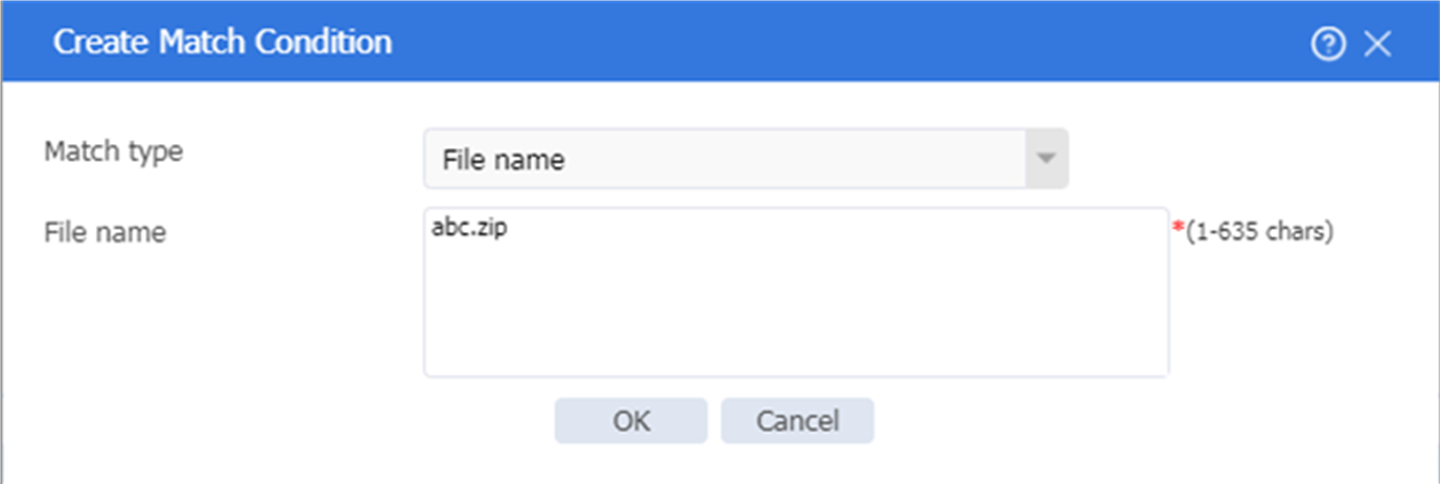
Configure the match conditions as matching the file named abc.zip.
Figure 3 Creating a detection rule
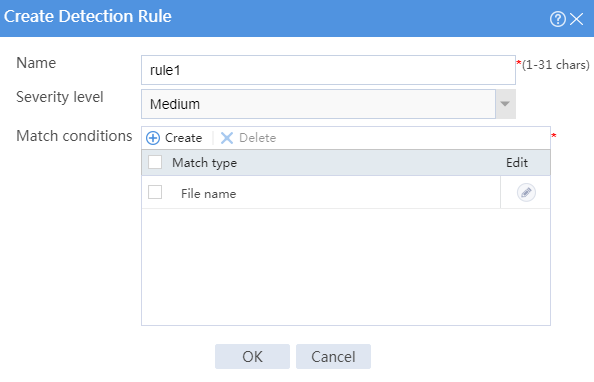
Figure 4 Creating a match condition
Click OK. Then, click the Identity Rules tab on the Create DLP Policy dialog box and click Create in the Add Rule area.
Configure parameters for the identity rule:
Enter a rule name.
Select a severity level.
Configure the match conditions as matching the recipient at [email protected].
Figure 5 Creating an identity rule
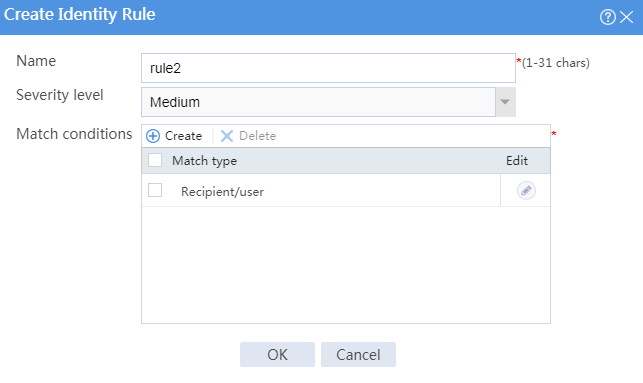
Figure 6 Creating a match condition
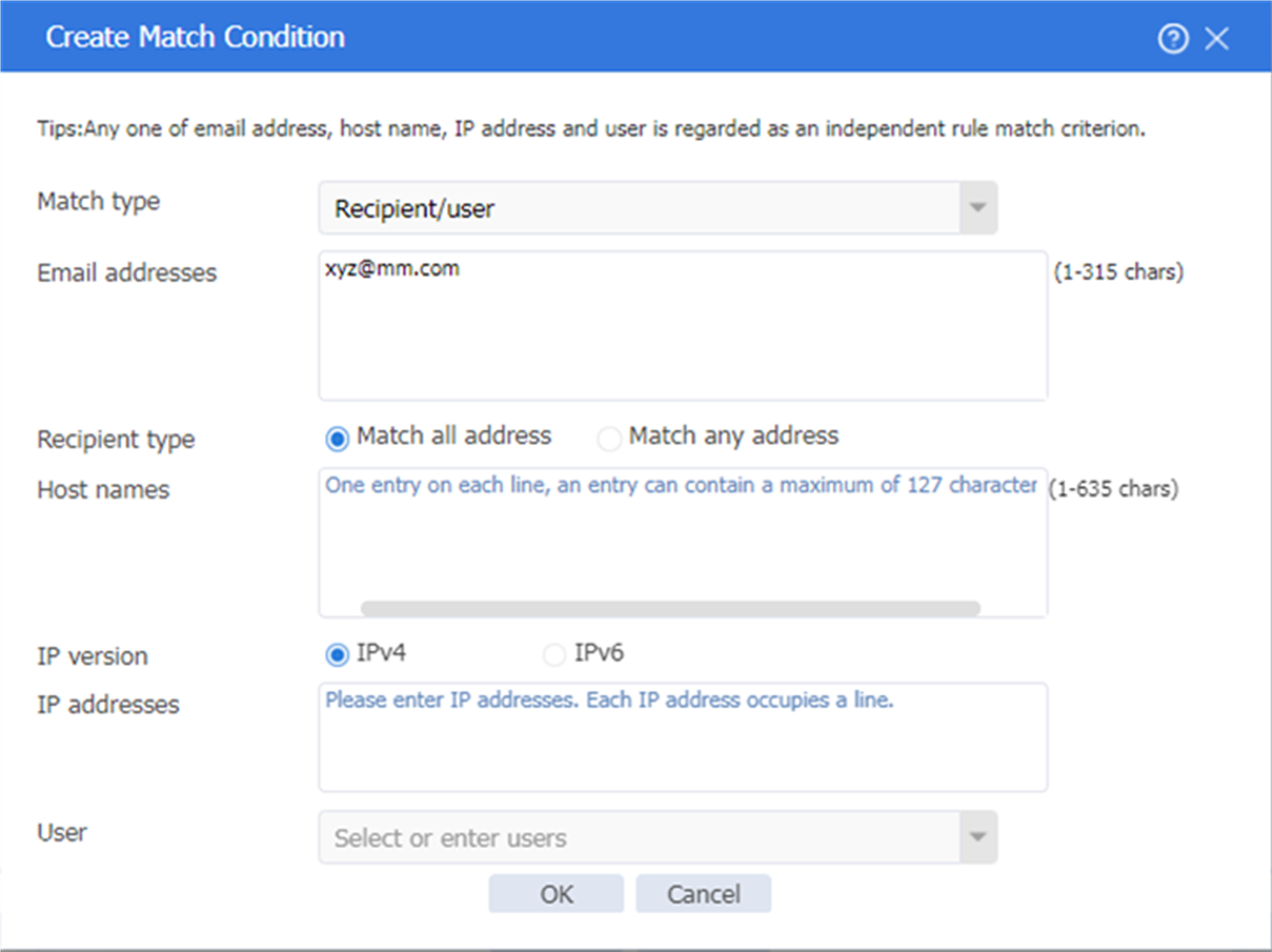
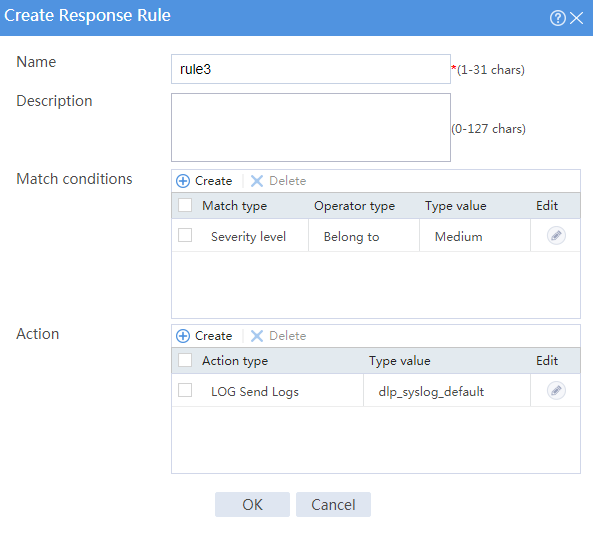
Click OK. Then, click the Response Rules tab on the Create DLP Policy dialog box and create a response rule.
Configure parameters for the response rule:
Enter a rule name.
Configure the match conditions as matching security events with the medium severity level.
Configure the action as sending logs.
Figure 7 Creating a response rule
Click OK. The response rule is created.
Click OK. The DLP policy is created.
# Verify that the device can generate log messages when it detects that file abc.zip has been leaked or an internal user has sent an email to email box [email protected]. (Details not shown.)
#
object-group ip address obj1
0 network subnet 192.168.1.0 255.255.255.0
#
interface GigabitEthernet1/0/1
ip address 192.168.1.1 255.255.255.0
#
interface GigabitEthernet1/0/2
ip address 202.1.0.1 255.255.255.0
#
security-zone name Trust
import interface GigabitEthernet1/0/1
#
security-zone name Untrust
import interface GigabitEthernet1/0/2
#
inspect tcp-reassemble enable
inspect stream-fixed-length disable
inspect activate
#
security-policy ip
rule 0 name trustuntrust
action pass
source-zone trust
destination-zone untrust
source-ip-subnet 192.168.1.0 255.255.255.0
#
dlp flow-monitor file-transfer outgoing
#
dlp flow-monitor local-addr ip
object-group obj1
#
undo dlp bypass