About cloud network disks
What are cloud network disks
Cloud network disks provide secure and stable cloud storage services for users, avoiding file loss caused by the failure of any local storage device. With simplified uploading, downloading, and file sharing, the cloud network disk service enables team synergy and improves office efficiency.
Roles and permissions
Organization administrators can create and use cloud disks. Users only can request and use cloud disks. A system administrator can configure the EISOO AnyShare connection, view, expand, and delete cloud network disks, but cannot create or use cloud network disks.
Mechanism
The system uses EISOO AnyShare to provide cloud network disk services. The system communicates with EISOO AnyShare cloud storage through EISOO APIs.
After a user creates a cloud desktop from the Web interface, the storage management module processes the task and then sends the request to EISOO AnyShare through an API. EISOO software processes the request and then sends back a response.
Concepts
EISOO AnyShare
AnyShare is a series of software- and hardware-integrated products developed by EISOO to provide unstructured data management solutions for enterprise-level users. Based on private cloud storage, it provides private cloud solutions for private files of users requiring office mobility, desktop virtualization, and BYOD, acting as a unified file platform.
Personal document and shared document
You can upload personal documents to your cloud network disk. By default, only you have access to the personal documents. You can share a personal document with other users by granting them permissions to the document. The shared document will be displayed in the shared document list for the users.
Application scenarios
File backup
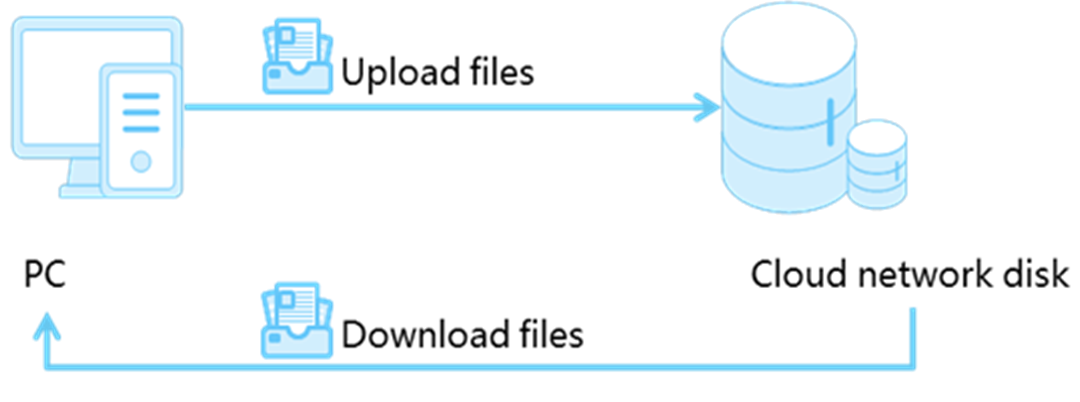
You can upload files to a cloud network disk for backup. When the files on the local storage are lost or damaged, you can download the files from the cloud network disk.
Figure-1 File backup
File sharing
File sharing helps improve work efficiency and allows you to grant multiple users different permissions to a personal file.
Figure-2 File sharing
