Configure a vertical extension policy
On the top navigation bar, click Services, and then select DRX > DRX service name from the navigation pane.
Click Vertical Extension Policy.
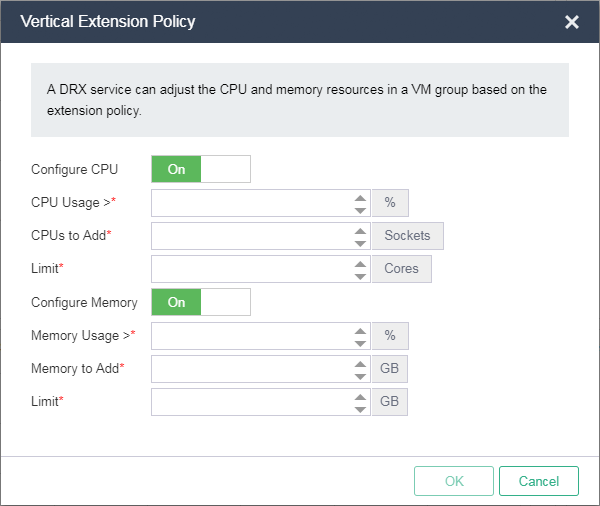
Configure the CPU and memory parameters, and then click OK.
|
Parameter |
Description |
|
Configure CPU |
Select this option to enable the vertical extension policy by CPU usage. |
|
CPU Usage |
Specify the CPU usage threshold. The system adds CPUs to a VM when this threshold is reached. |
|
CPUs to Add |
Specify the number of CPUs to add for a VM. |
|
Limit |
Specify the maximum number of CPUs that can be added for a VM. |
|
Configure Memory |
Select this option to enable the vertical extension policy by memory usage. |
|
Memory Usage |
Specify the memory usage threshold. The system adds memory to a VM when this threshold is reached. |
|
Memory to Add |
Specify the memory size to add for a VM. |
|
Limit |
Specify the maximum memory size that can be added for a VM. |