Specify an IPv6 address for a VM
On the top navigation bar, click VMs.
Select a VM, and then click Edit.
Click the Network tab.
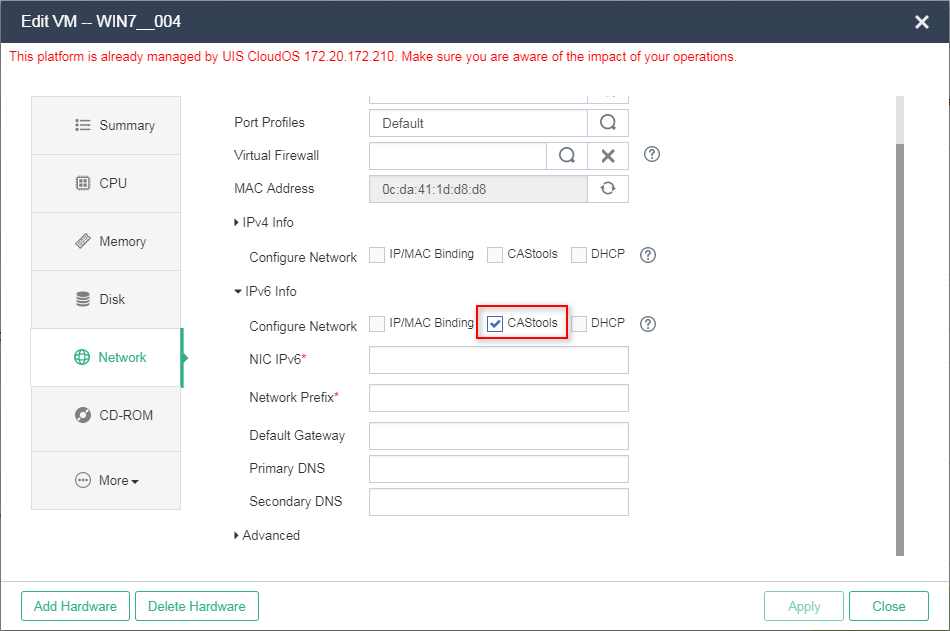
Select CAStools, and then configure IPv6 settings for the VM.
Figure-1 Specifying an IPv6 address for a VM by using CAStools
|
|
You can configure an IP address for a VM only when CAStools is installed on the VM and is operating correctly. |