Download an installation package
Log in to CVM.
|
|
For CAS-CentOS, you must configure network settings at CAS installation for CAS to identify VMs installed with the migration client and perform heterogeneous migration. |

On the top navigation bar, click Services.
From the left navigation pane, select Heterogeneous Migration.
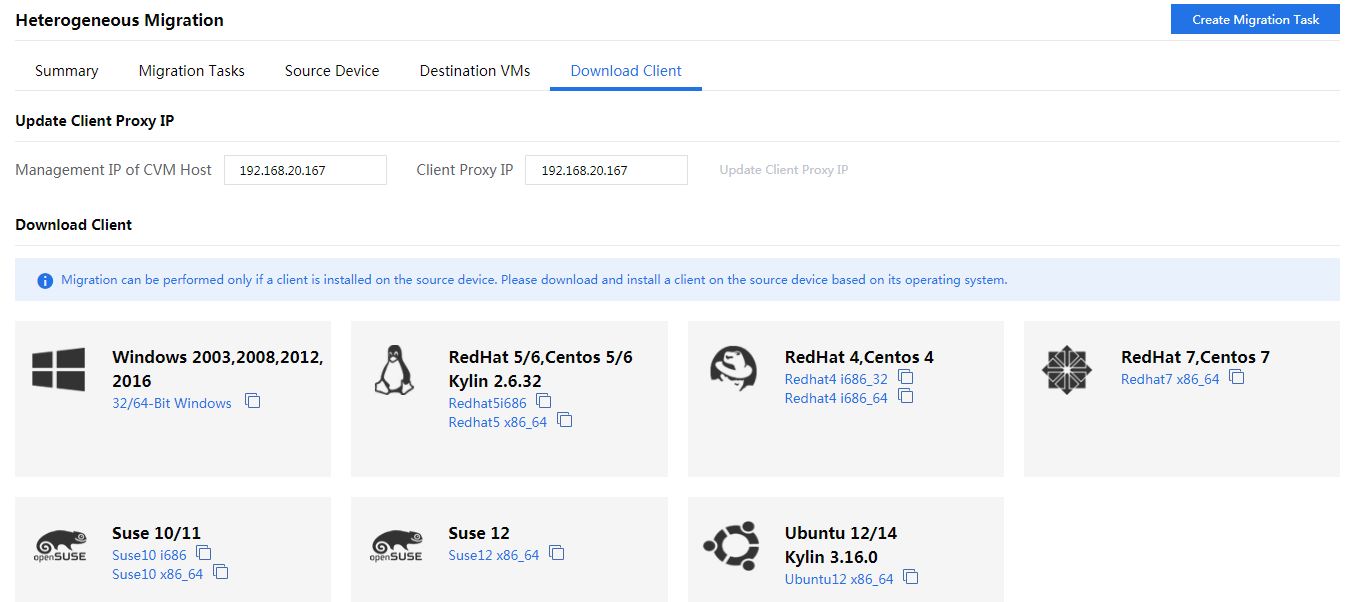
Click the Download Client tab.
Verify that the client proxy IP address is correct. By default, the client proxy IP address is the management IP address of CVM.
If the IP address is different from the actual address, click Update Client Proxy IP, which is available only after the migration license is activated.
Use the following methods to download the target installation package:
Click the target OS name. The system downloads the installation package in a .zip file named Clone_Client_xxx.zip, for example, Clone_Client_Redhat5x86_64.zip. Then, you must decompress the file and upload the decompressed installation package to the source device through FTP.
Click the
 icon for the target client edition to obtain the URL for downloading. Then, access the remote console of the source device and use the URL to download the installation package.
Figure-1 Downloading a migration client