Enable DPDK for a host
Configure boot settings
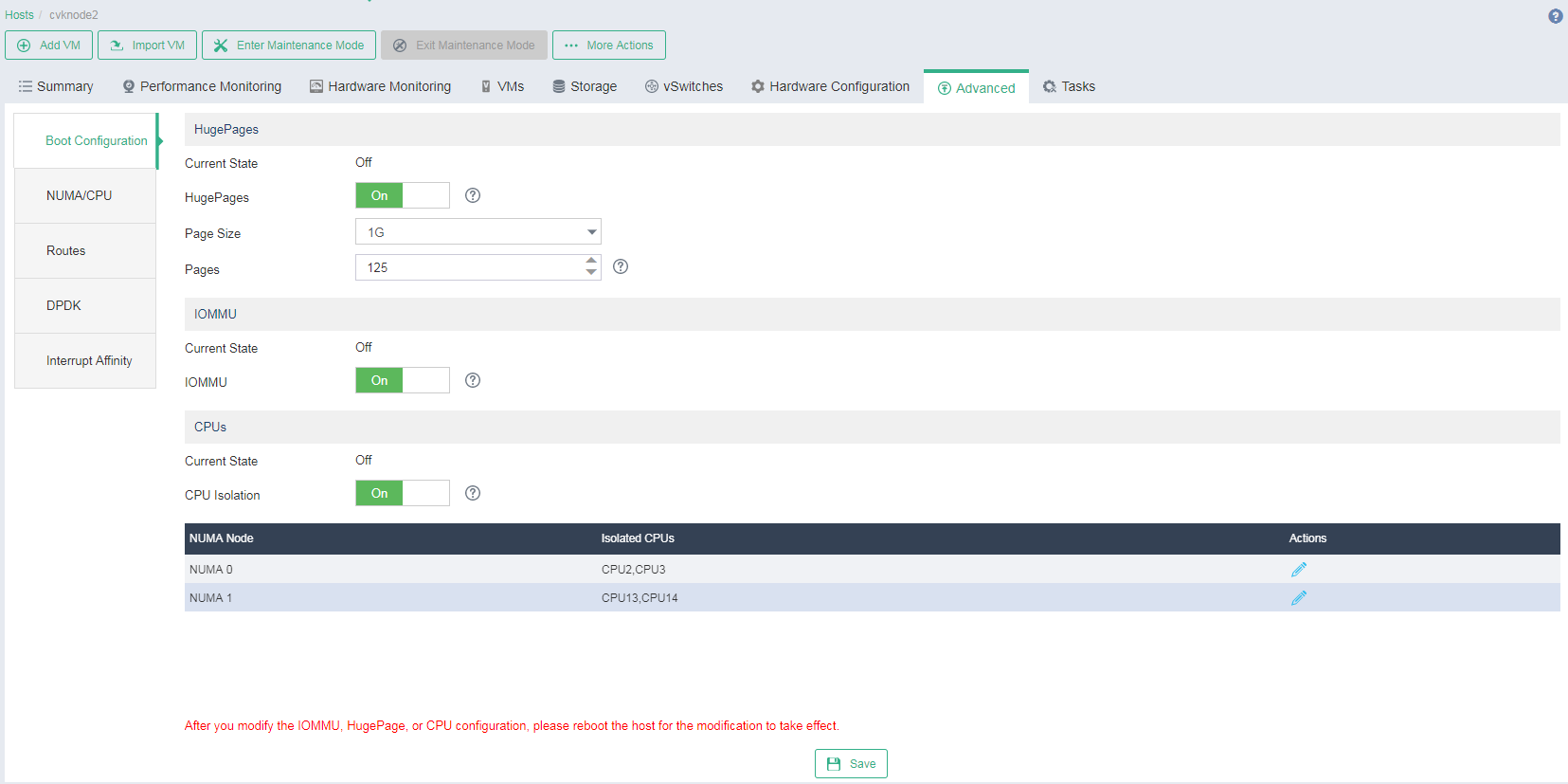
This feature enables you to configure the boot settings of a host, including HugePages, IOMMU, and CPU isolation settings.
HugePages—Using HugePages, the page size is increased from 4K to 2MB or 1GB, reducing the amount of system resources required to access page table entries and increasing Translation Lookaside Buffer (TLB) hit ratio.
IOMMU—An input/output memory management unit (IOMMU) maps virtual addresses to physical addresses to allow physical devices to operate in a virtual memory system and improve the VM performance.
CPU isolation—CPU isolation removes the specified CPUs from the CPU scheduling policy of a host. The system will not assign tasks to the isolated CPUs. The isolated CPUs are reserved for VMs and DPDK to ensure that the hosts enabled with DPDK and the VMs can obtain the CPU resources in time.
On the top navigation bar, click Hosts.
Select the target host, and then click the Advanced tab.
Enable HugePages, and set the page size and the number of pages as needed.
Enable IOMMU.
Enable CPU isolation. Click the Edit icon
 for a NUMA node, select CPUs as needed (as a best practice, do not select CPU0), and then click OK. Configure the other NUMA node in the same way.
Figure-1 Configuring boot settings for a host
Click Save.
Restart the host to have the configuration take effect:
Click Enter Maintenance Mode, and then click OK in the dialog box that opens.
Click More Actions, select Restart Host, and then click OK in the dialog box that opens.
After the host restarts, click Exit Maintenance Mode, and then click OK in the dialog box that opens.
Configure DPDK settings
On the top navigation bar, click Hosts.
Select the target host, and then click the Advanced tab.
Click the DPDK tab.
Enable DPDK.
Click the Edit icon
 for a NUMA node, set the HugePages memory size to 2GB, select the CPUs that you have selected in step 5 of "Configure boot settings," and then click OK.
Figure-2 Configuring DPDK settings for a host
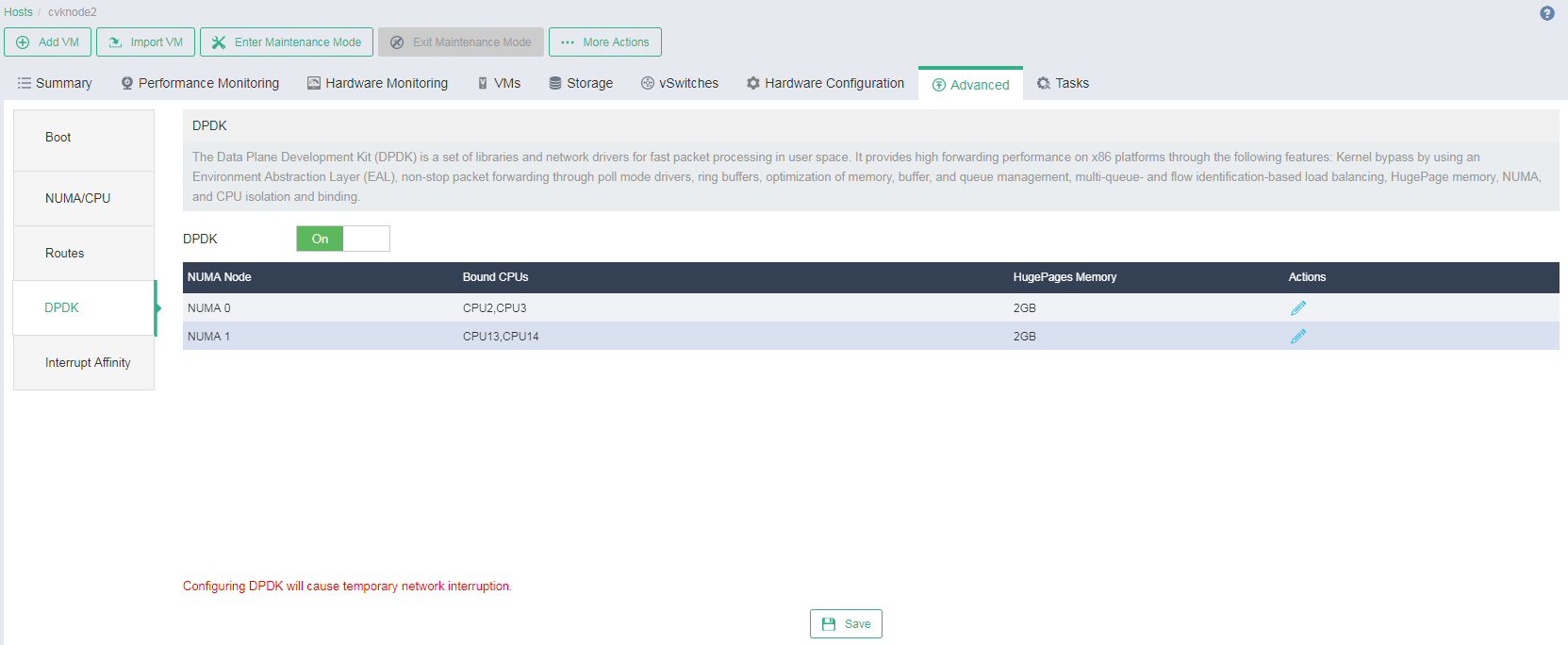
Configure the other NUMA node in the same way.
Click Save.
(Optional) Configure interrupt affinity settings
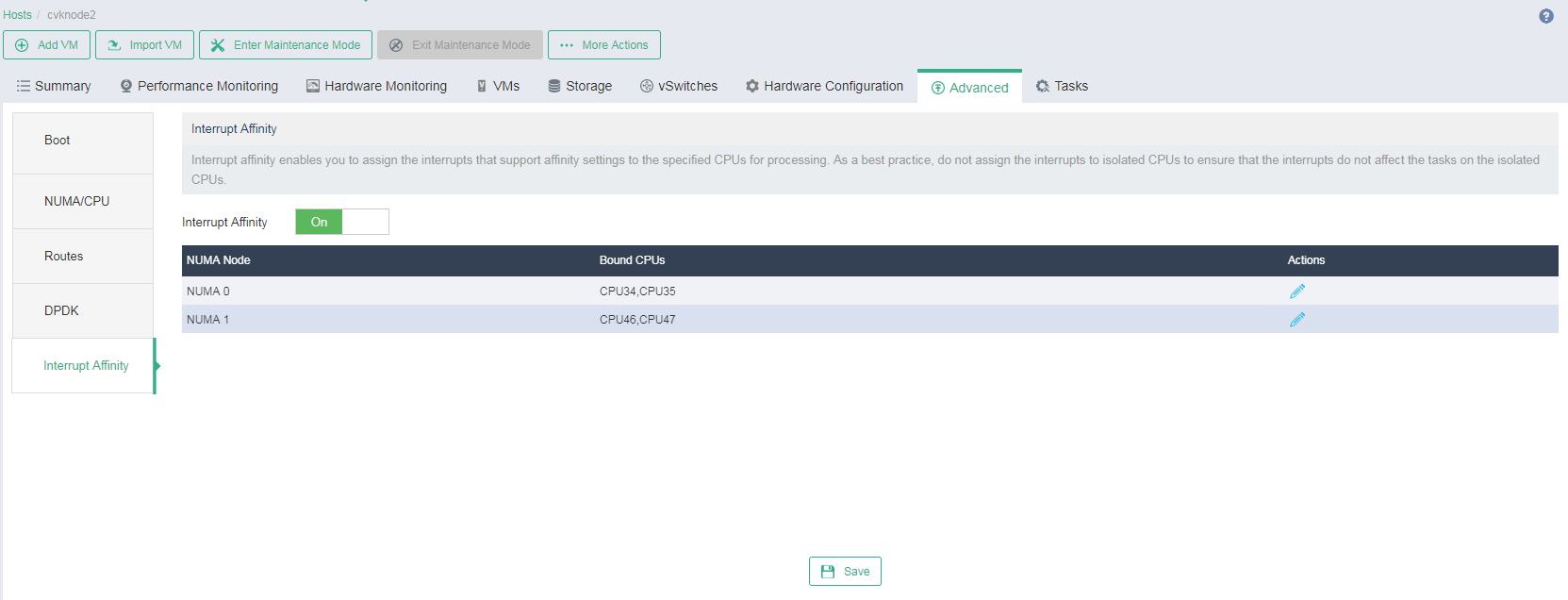
This feature enables you to assign the interrupts that support affinity settings to the specified CPUs. After that, the interrupt requests will be processed by the specified CPUs.
On the top navigation bar, click Hosts.
Select the target host, and then click the Advanced tab.
Click the Interrupt Affinity tab.
Enable interrupt affinity.
Click the Edit icon
 for a NUMA node, select CPUs different from those you have selected in step 5 of "Configure boot settings," and then click OK.
Figure-3 Configuring interrupt affinity settings