UIS O&M architecture
The UIS O&M architecture provides visualized, standard, and granular system operations management to help UIS system administrators operate and maintain the UIS system with ease for higher efficiency.
As shown in Figure-1, the UIS O&M architecture provides basic, advanced, scenario-based, and custom O&M capabilities.
Figure-1 UIS O&M architecture
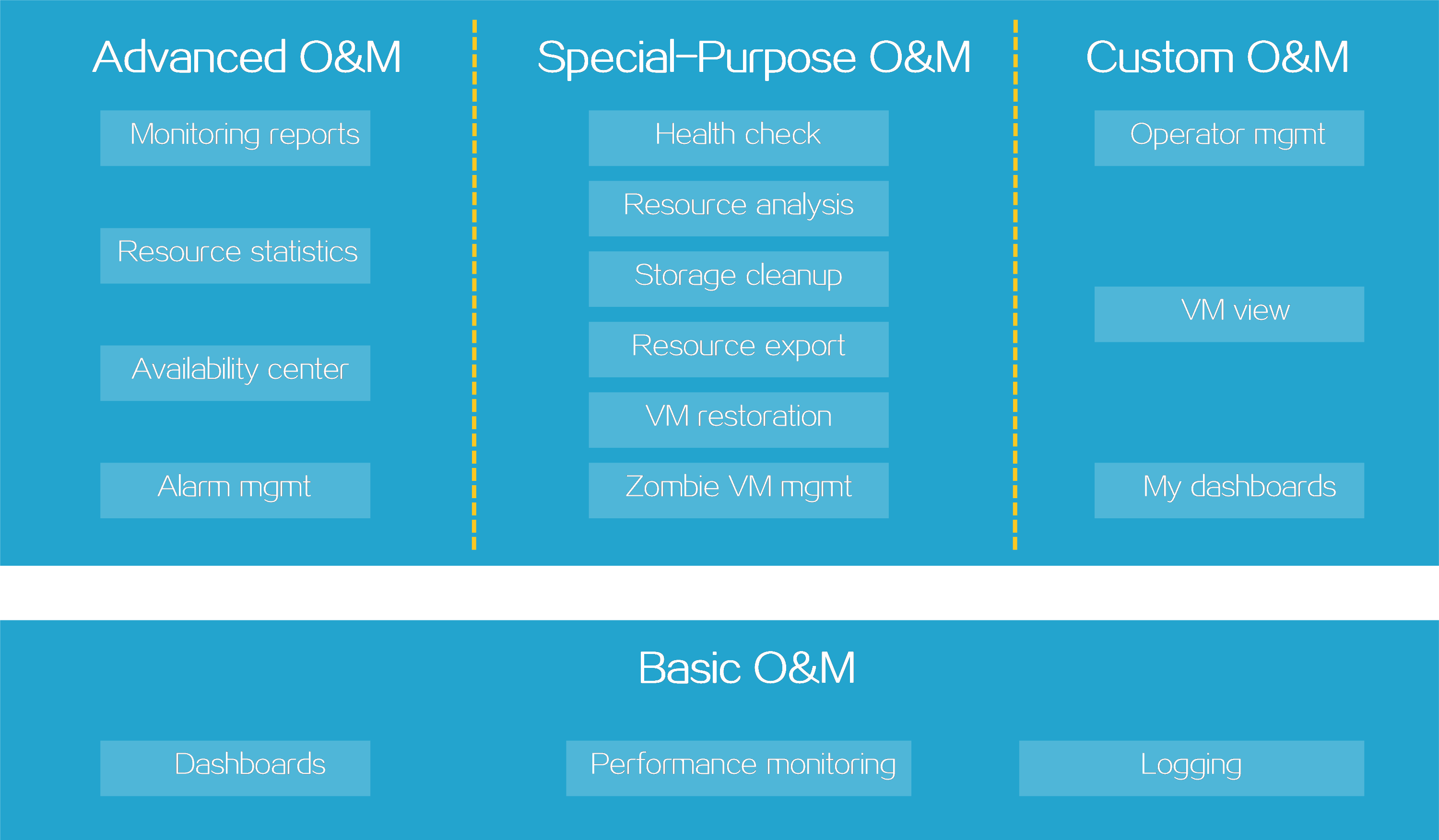
Basic O&M capabilities—Help you gain a holistic view of the UIS platform in tables and graphs. Available information includes resource usage statistics and distribution, network topology of hosts, VMs, and resources, task progresses, and log.
Advanced O&M capabilities—Provide actionable statistics and insights.
Reports are available to help you identify performance bottlenecks in virtual environments and make the optimal decision on architectural change and resource scaling.
Resource statistics help you gain insights into the operating performance of virtualized systems to help you make decisions such as scaling decisions.
The availability center provides hot keys for you to obtain availability resources and services, gain a visualized holistic view of platform performance and health state, and quickly isolate issues.
The alarm system generates alarms as soon as issues occur that degrade the performance and health of the platform. You can promptly resolve these issues to maintain the performance and health of the operating environment.
Special-purpose O&M capabilities—Provide hot keys to do automated single-purpose operations and maintenance tasks such as system health check and resource analysis and give optimization recommendations. For example, you can review the resource usage of hosts and VMs and reclaim idle resources as recommended. With the hot key for VM restoration, you can create restore points for a VM so you can restore the VM to the state it was when the restore point was created.
Custom O&M capabilities—Enable different users to configure preferred settings depending on their roles and job responsibilities. For example, you can create a group of operators for each team, use different directories to manage VMs for different business purposes, and design dashboards to monitor metrics of interest.